
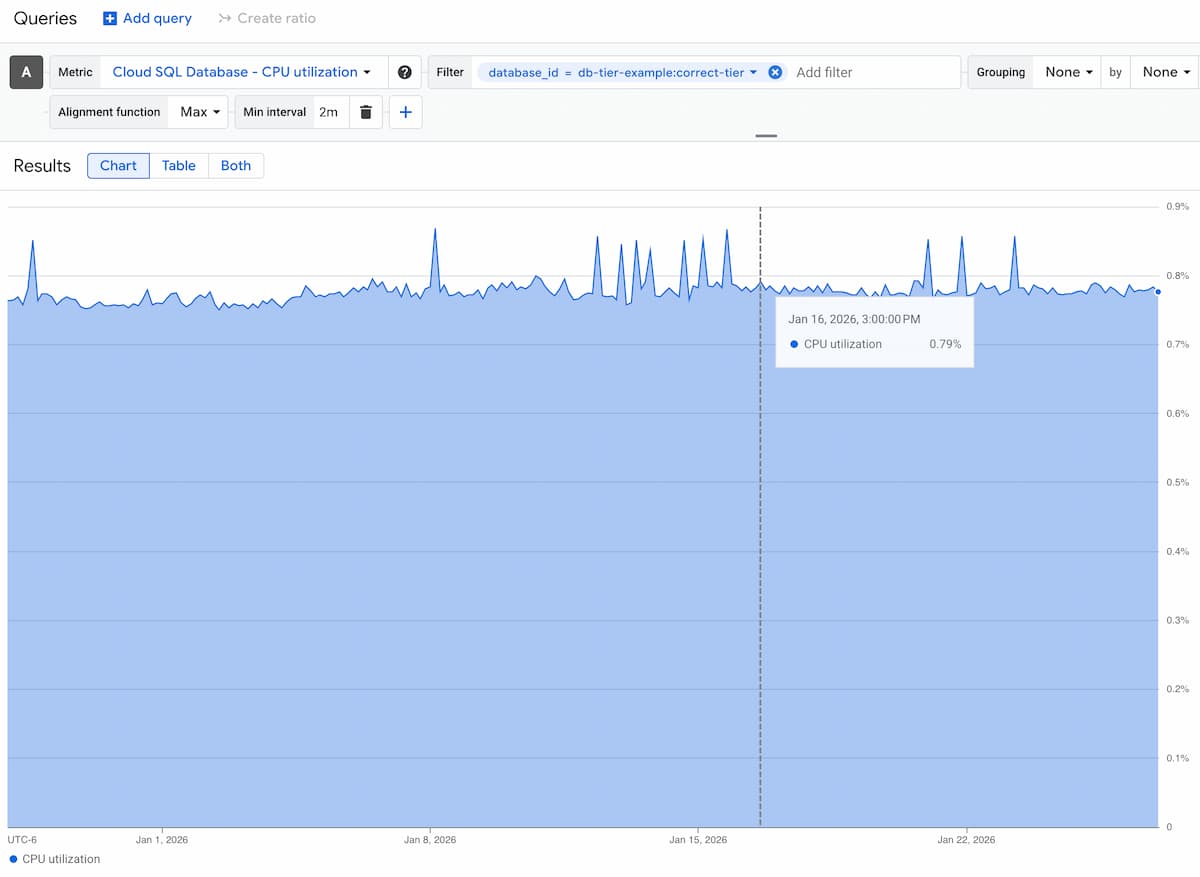
Deleting even a db-n1-standard-2 Cloud SQL database will save $97 a month.
So you could save hundreds a month by looking at unused Cloud SQL DBs.
These will usually be dev or staging databases, though they won’t always be in a dev or staging project.
If they’re still running, it means it wasn’t easy to find them.
So you’ll need a system to find if something still uses them.
Here’s the flow:
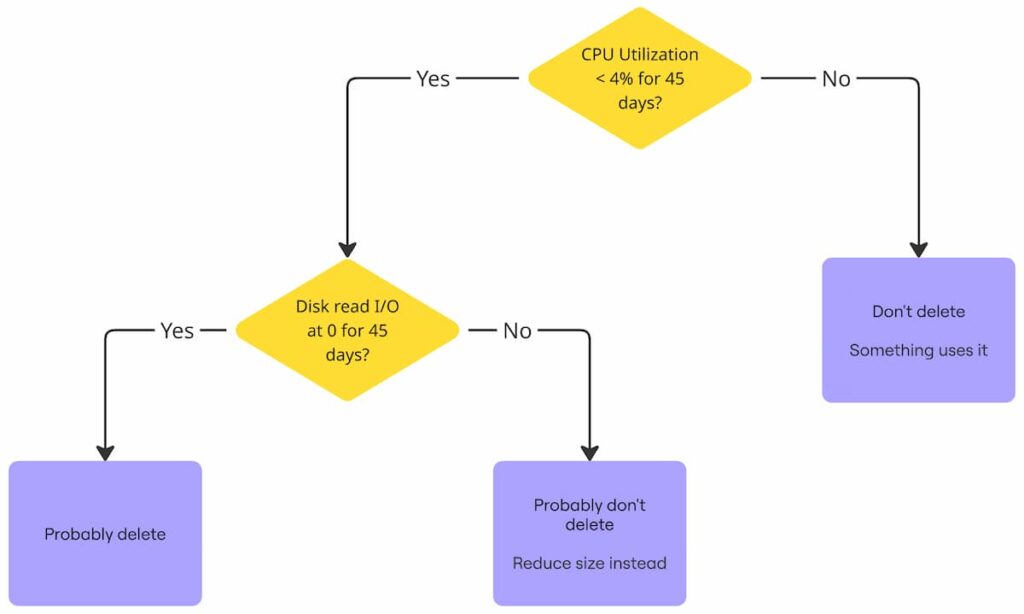
Even dev or staging databases will have some CPU utilization.
So you’ll have to find out if that CPU utilization is from queries.
Here’s a script that will show what you Cloud SQL instances you can reduce in a given project:
$ bash <(curl -sL https://gist.githubusercontent.com/kienstra/c8adeb905bf1aea95a1d7bca421ac057/raw/db-utilization.sh) <project id>Code language: JavaScript (javascript)The highlighted rows have max CPU Utilization below 0.04 (4%), suggesting that nothing uses them:
TIER                  MAX_CPU  P95_CPU  MEAN_CPU  PROJECT_ID                   INSTANCE_ID             CREATED_TIME             ENGINE
db-n1-standard-2      0.0362   0.0303   0.0201    db-tier-example              unused                  2024-11-15T12:34:56Z     mysql
db-g1-small           0.0897   0.0931   0.0902    db-tier-example              db-prod-02              2024-12-01T09:10:11Z     postgres
db-n1-standard-1      0.1024   0.1100   0.1050    db-tier-example              db-prod-03              2024-10-22T08:22:44Z     mysql
db-custom-2-7680      0.1205   0.1350   0.1280    db-tier-example              db-prod-04              2024-05-30T14:02:17Z     postgres
db-f1-micro           0.0320   0.0232   0.0180    db-tier-example              unused-01               2023-12-12T03:40:55Z     mysql
db-g1-small           0.0278   0.0220   0.0169    db-tier-example              unused-02               2024-01-18T11:25:33Z     postgres
db-n1-standard-2      0.0950   0.1020   0.0980    db-tier-example              db-staging-03           2024-07-07T17:50:01Z     mysql
db-custom-4-15360     0.1500   0.1600   0.1550    db-tier-example              db-prod-05              2024-03-02T19:30:40Z     postgres
db-n1-standard-4      0.2100   0.2250   0.2180    db-tier-example              db-prod-06              2024-08-15T14:30:22Z     postgres

Code language: CSS (css)
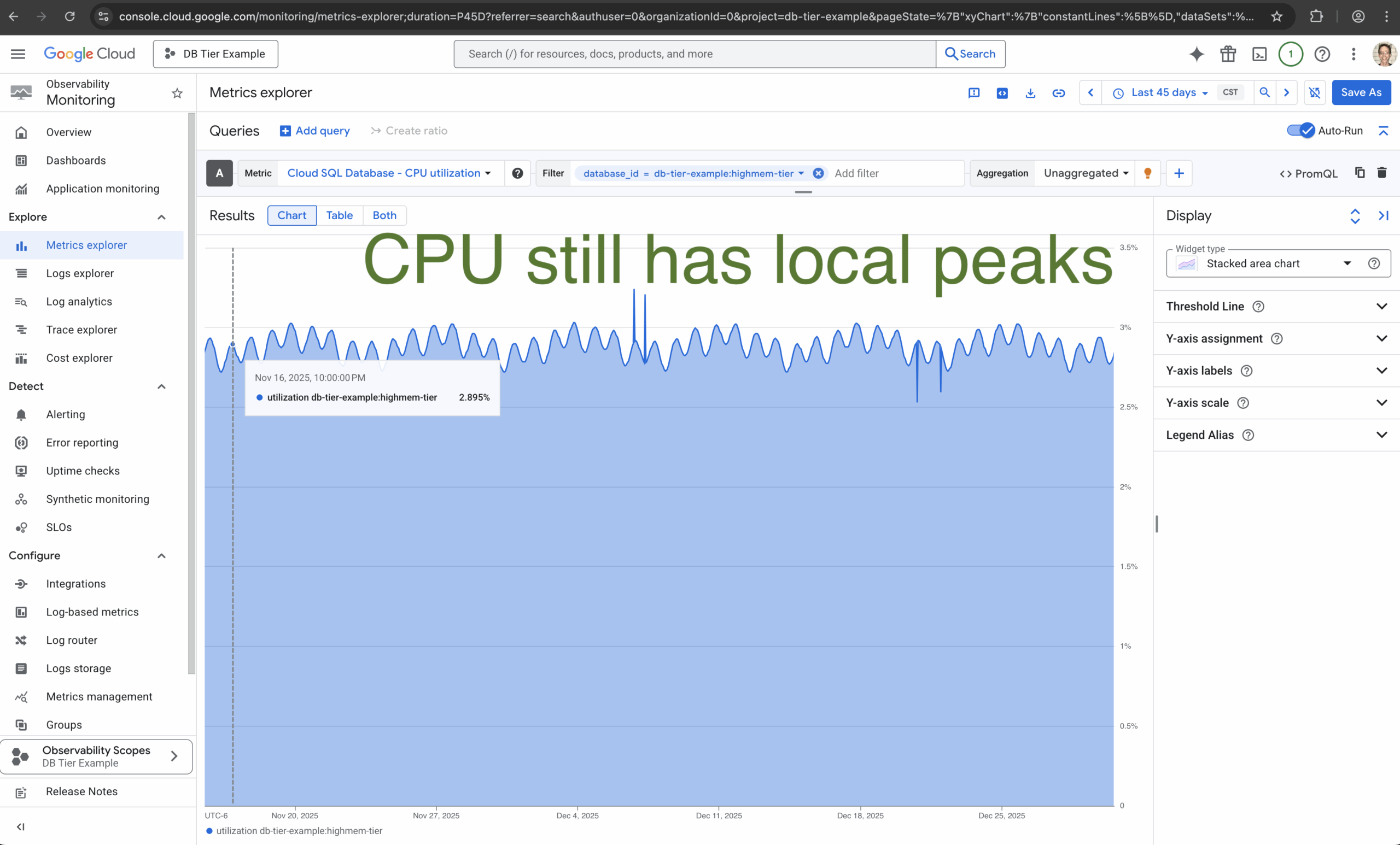
There will probably be local peaks, but the mean CPU Utilization should be below 3%:
Let’s look at its Disk read I/O of each of them for the last 45 days:
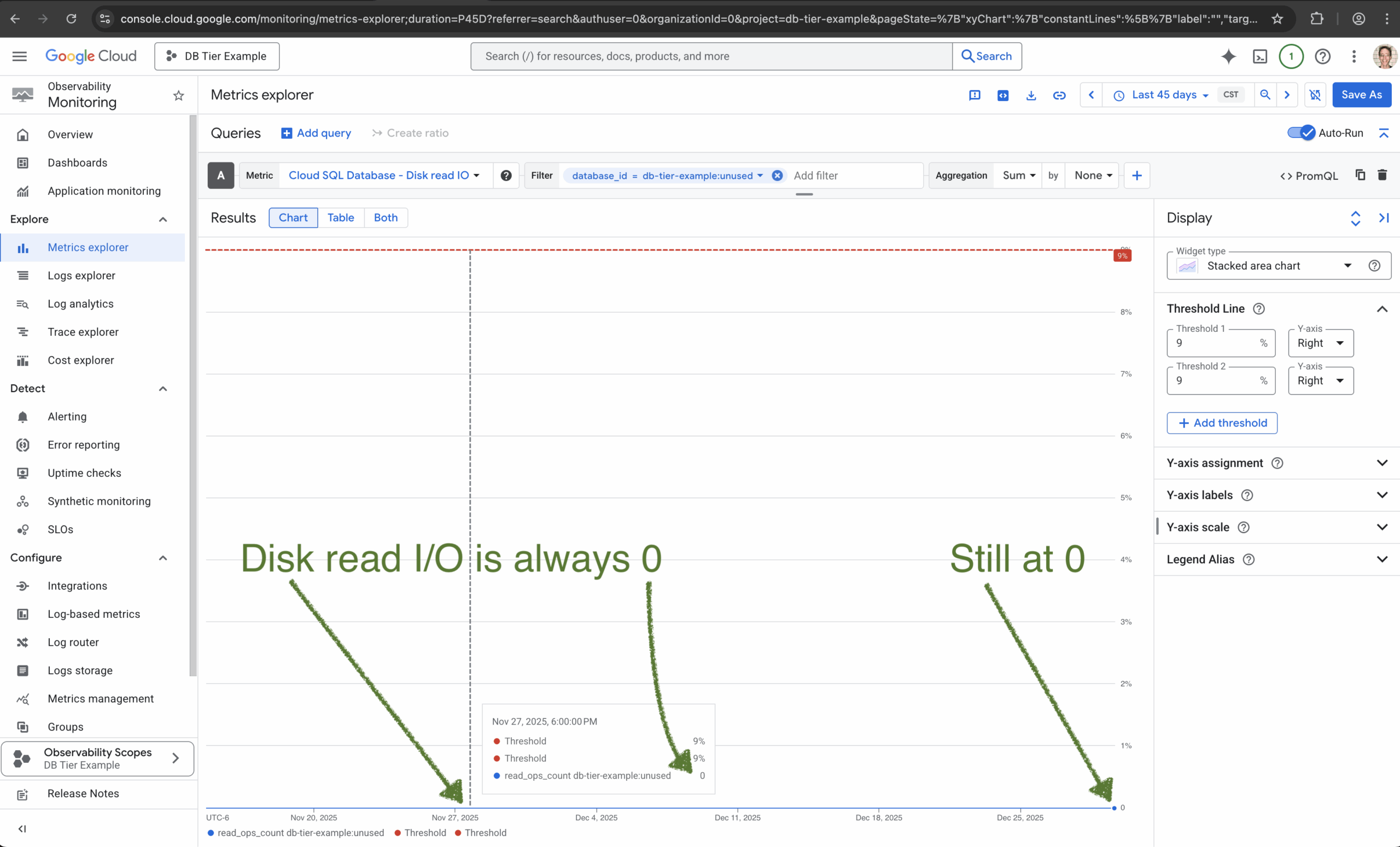
This means it probably hasn’t read from the disk in the last 45 days.
This is a DELTA, so it could have made the exact amount of same reads every 3 hours for the last 45 days.
But it probably didn’t do any read operation from disk.
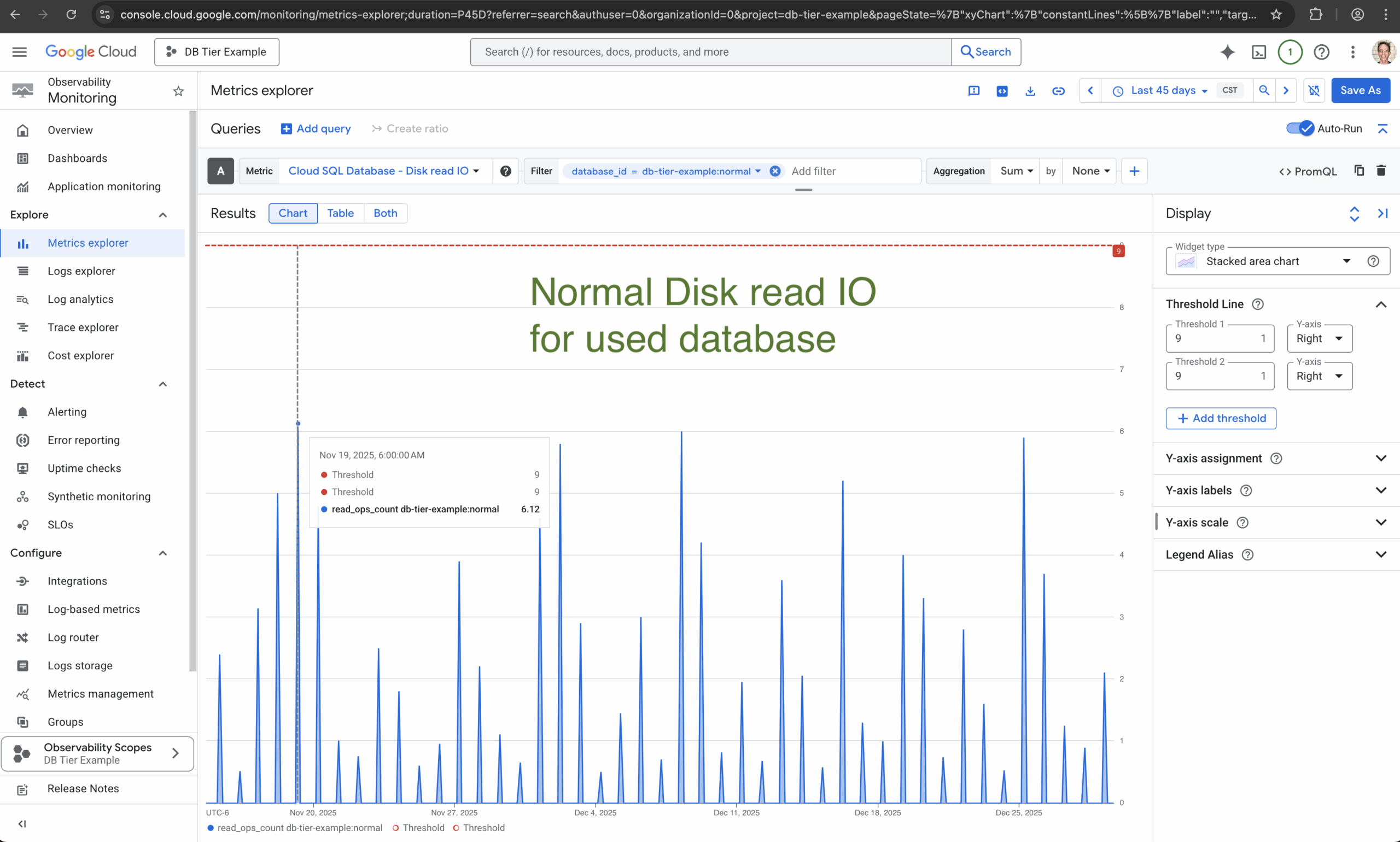
Here’s the Disk read I/O of an example database with real queries:
And here’s an example DB CPU Utilization of a database with real queries:
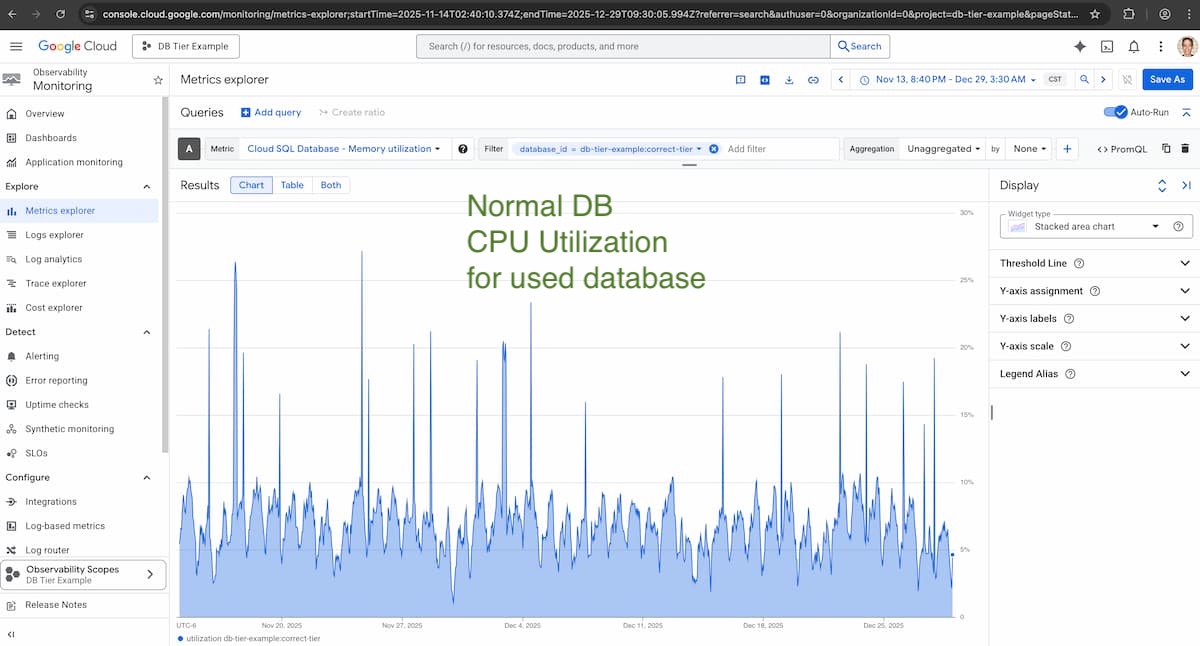
Neither of those would be a candidate for deletion, unless their queries were also from a service that didn’t matter.
Like a staging service that nothing uses.
Disconnecting The Instance
There’s no “soft delete” for Cloud SQL, but you can disconnect an instance from traffic.
This way, if something crashes, you can reconnect it without losing data:
gcloud sql instances patch "$INSTANCE_NAME" \
--no-ipv4 \
--project="$PROJECT_ID"

gcloud sql instances patch "$INSTANCE_NAME" \
  --no-authorized-networks \
  --project="$PROJECT_ID"Code language: Bash (bash)
Creating A Backup
If you might need the data, you can create a backup:
gcloud sql backups create --instance="$INSTANCE_NAME" --project="$PROJECT_ID"Code language: Bash (bash)You’ll still have to manually delete this backup, unless your backup retention time is low enough to delete it.
But a backup of 100 GB only costs $8/month, compared to a savings in the hundreds from deleting this database.
Deleting The Instance
If the instance is in Terraform, that’s the best place to delete it.
Otherwise:
gcloud sql instances delete "$INSTANCE_NAME" --project="$PROJECT_ID"Code language: Bash (bash)The fastest Google Cloud savings are from deleting what you’re not using at all.
And unused Cloud SQL instances are one of the first places to look.