
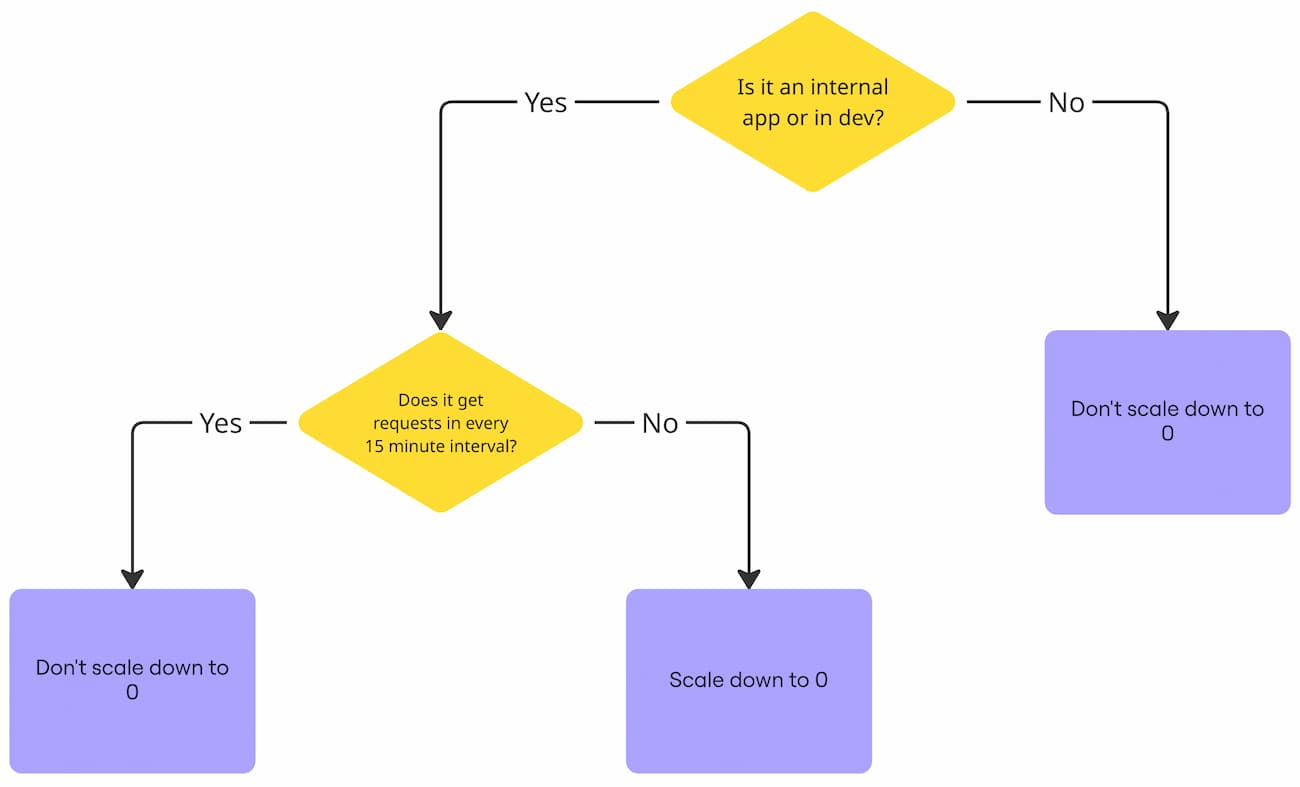
The fastest way to save on cloud costs is to stop paying for what you’re not using.
So you can stop paying for Cloud Run v2 when you’re not using it by:
Allowing it to scale down to 0.
You don’t have to do this with Cloud Run v1, where it already scales down to 0 by default1.
This is best for:
- Internal apps
- Dev services
- Service where multiple seconds of latency are acceptable
I saved my employer $382 a month by doing this. $200 in one instance, and $182 in another.
Because the instance scaled down to 0, there was a small delay from the cold start.
So the Time To Interactive is now 6 seconds on cold start, which is fine for our internal app.
This works well for apps like an internal analytics web app that your customers don’t see.
But this would be too long for an app with paying users.
This will work best if there are several hours a day where there is no request.
This scales down to 0 when there’s no request for 15 minutes.
But it’s still faster than another internal web app we have that doesn’t scale down.
It’s plenty for our needs.
Here’s how to do this in Terraform:
resource "google_cloud_run_v2_service" "my_internal_tool" {
    ...
    scaling {
      min_instance_count = 0
      max_instance_count = 10
    }
    ...
  }
Code language: JavaScript (javascript)
And here’s how to scale down to 0 in the console:
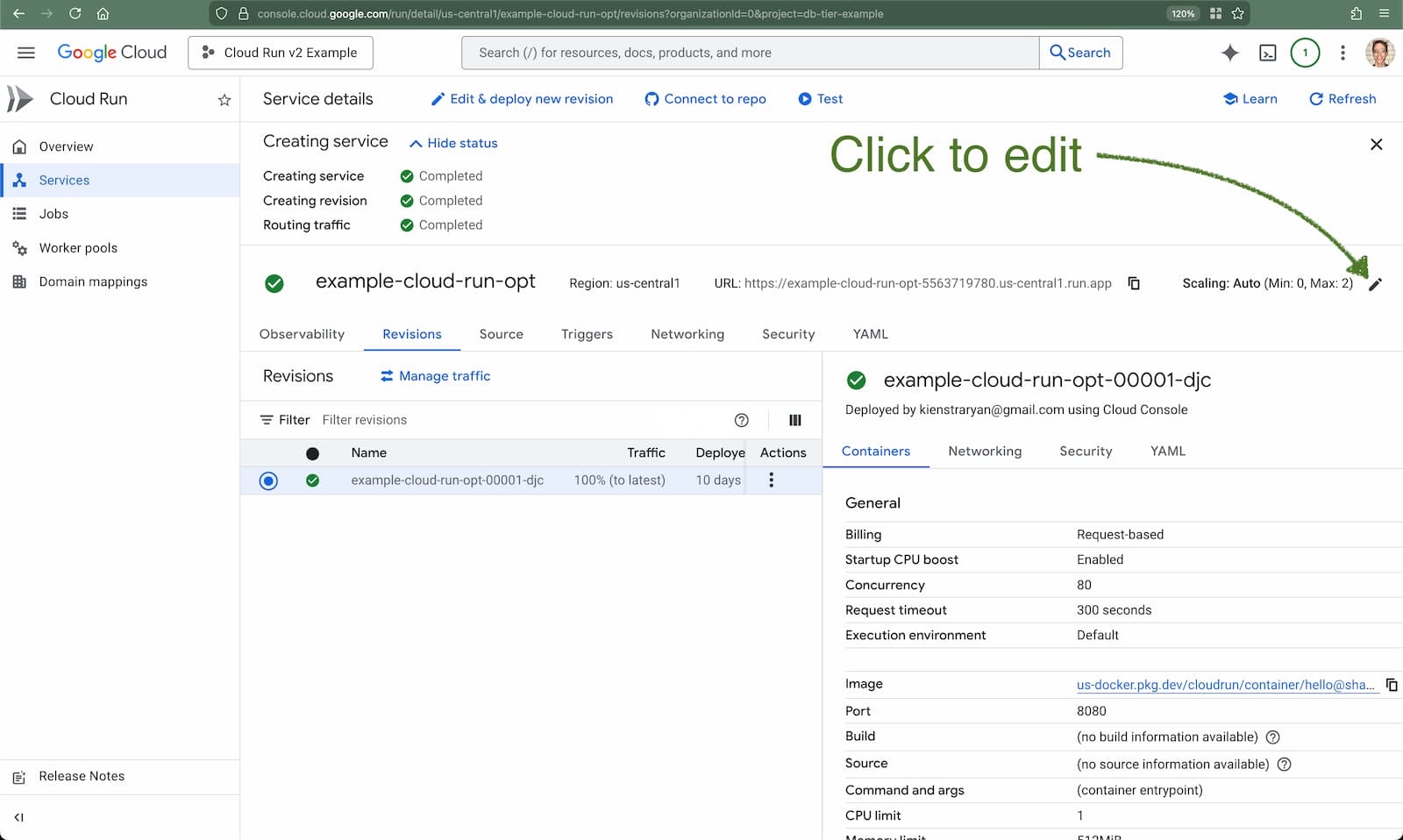
Then, set “Minimum number of instances” to 0:
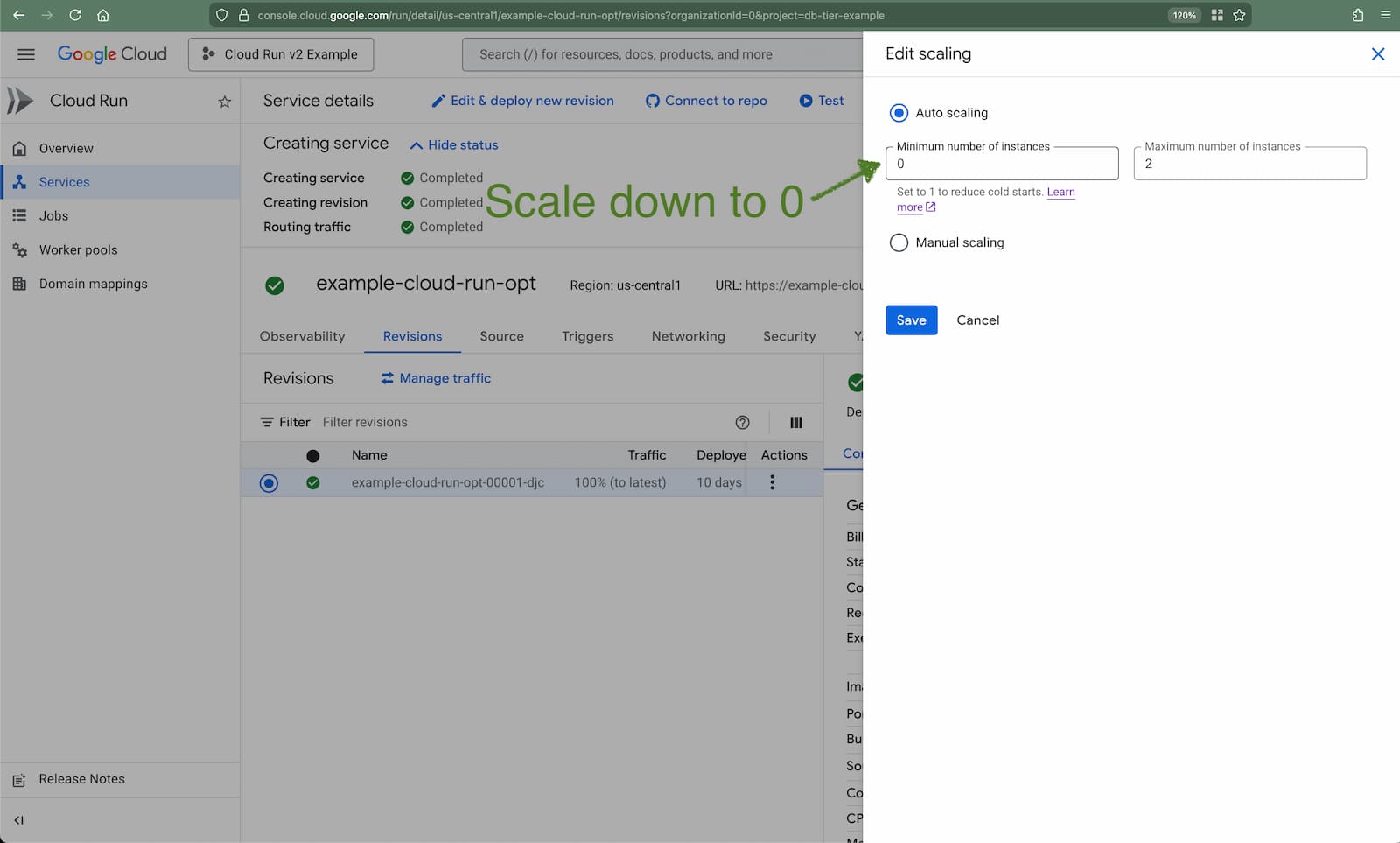
This saved us $382 per month, over 2 instances.
It’ll also save you hundreds a month if you have lightly used instances.
- And even in Cloud Functions v2, “Minimum number of instances” is 0 by default when you create the instance in Google Cloud or Terraform. ↩︎