

Cloud SQL is a good place for waste to hide.
You pay for what you provision, not what you use.
So here’s how to reduce what you provision.
For Google Cloud SQL instances, CPU Utilization and Memory Utilization are good indicators of whether they’re the right size.
Here’s a script that shows which Cloud SQL instances you can make smaller:
$ bash <(curl -sL https://gist.githubusercontent.com/kienstra/c8adeb905bf1aea95a1d7bca421ac057/raw/db-utilization.sh) <project id>Code language: JavaScript (javascript)The CPU utilization is a clue to whether the instance is too big:
TIER                   MAX_CPU  P95_CPU  MEAN_CPU PROJECT_ID             INSTANCE_ID         CREATED_TIME                ENGINE
db-f1-micro            0.6402   0.5100   0.3103   db-tier-example        correct-tier        2024-11-15T14:22:33Z        POSTGRES_15
db-custom-16-61440     0.1290   0.0765   0.0456   db-tier-example        too-high-tier       2025-08-09T12:15:42Z        POSTGRES_17
db-n1-highmem-4        0.4132   0.3523   0.2932   db-tier-example        highmem-tier        2025-09-34T09:34:52         MYSQL_8_0
Code language: Bash (bash)
Correctly Provisioned DB
The first DB is well-sized DB for its utilization:
TIER                   MAX_CPU  P95_CPU  MEAN_CPU
db-f1-micro            0.6402   0.5100   0.3103   # Correct sizeCode language: Bash (bash)
Its max CPU Utilization in the last 45 days was 64.02%, and its mean was 31.03%.
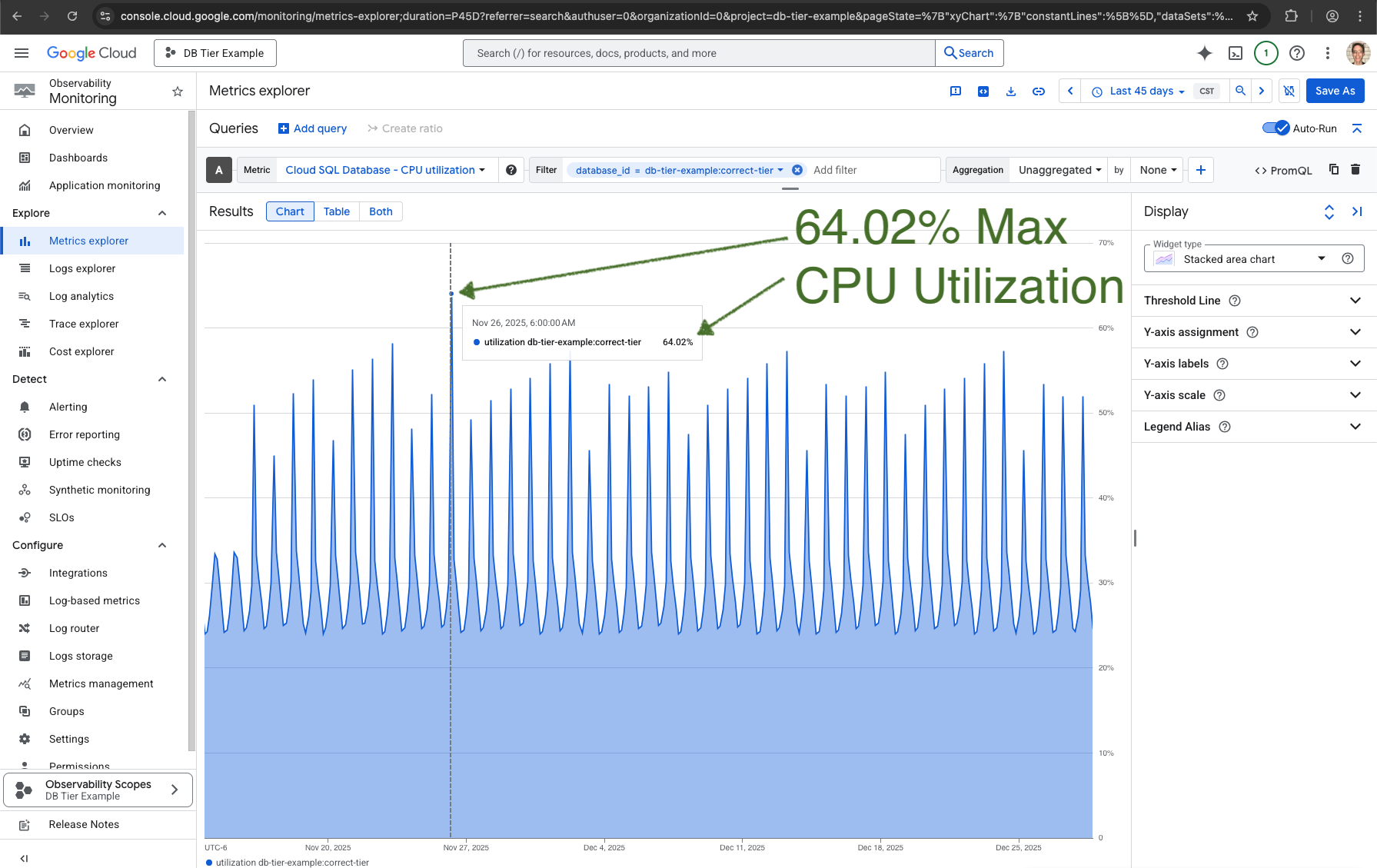
And it’s in the db-f1-micro tier, so it only costs $7.665/month, without discounts.
Overprovisioned Custom Tier
This custom database isn’t using much of its CPU:
TIER                   MAX_CPU  P95_CPU  MEAN_CPU
db-custom-16-61440     0.1290   0.0765   0.0456   # Too little CPU utilizationCode language: CSS (css)
It max CPU Utilization in the last 45 days was only 12.9%:
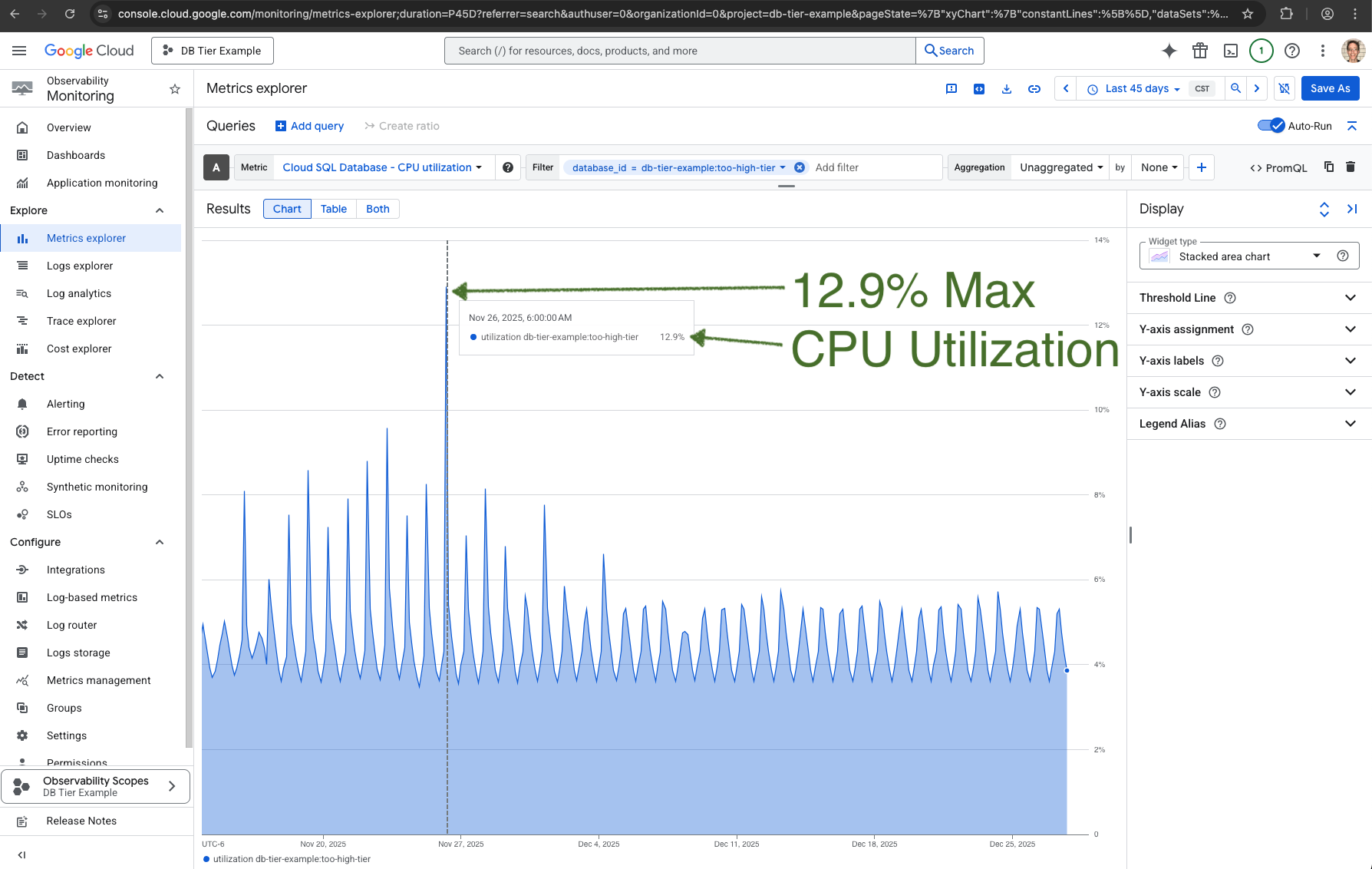
This costs about $1,000/month if not on the Enterprise plan. It has 16 vCPUs, which it’s not using.
To know if the 61440 MB of memory is too much, we’ll look at the Memory Utilization.
It could be that the memory is a good investment to keep most queries in cache, so the CPU utilization never gets too high.
But Metrics Explorer shows that it never uses more than 9.58% of the memory:
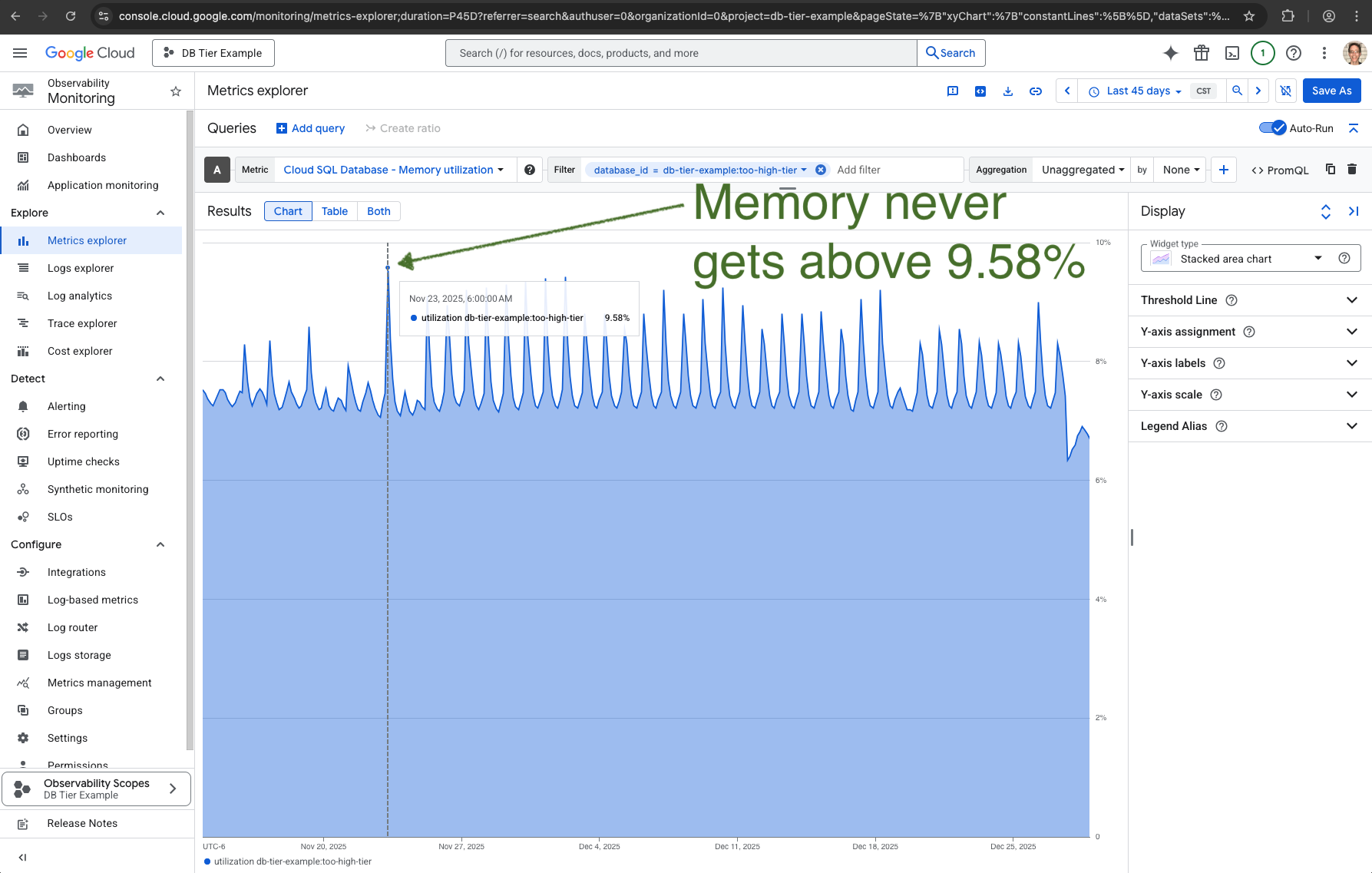
The tier db-custom-4-15360 could probably still handle the CPU and memory needs of this database.
Overprovisioned Highmem Tier
This also probably has too many CPUs:
TIER                   MAX_CPU  P95_CPU  MEAN_CPU
db-n1-highmem-4        0.4132   0.3523   0.2932   # Too little CPU utilizationCode language: CSS (css)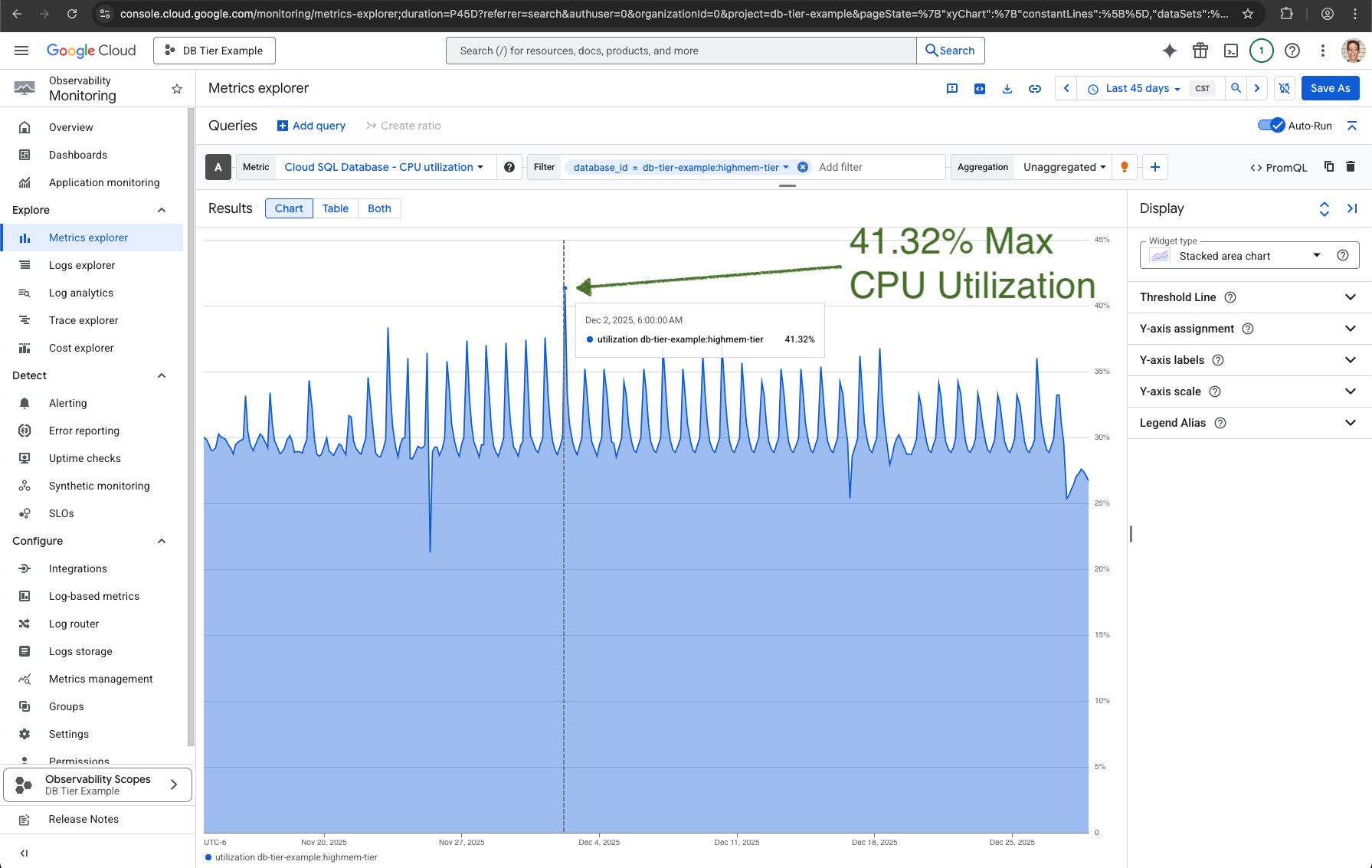
It has 4 CPUs, the 4 in db-n1-highmem-4.
We might be able to reduce this to 2 CPUs, but that would also cut the memory in half.
db-n1-highmem-4 has 26 GB of memory, and db-n1-highmem-2 has 13 GB.
So let’s look at memory utilization to know if it it’s using the memory it has:

This doesn’t use enough of the memory.
Max Memory Utilization is 39.42%.
So the highmem tier is the right choice, because it will only have half the memory when changing CPUs to 2.
Both CPU and memory utilization now are about half of the ideal percentage.
Using these steps, you should save hundreds a month.